One Charter, whoever is appointed first
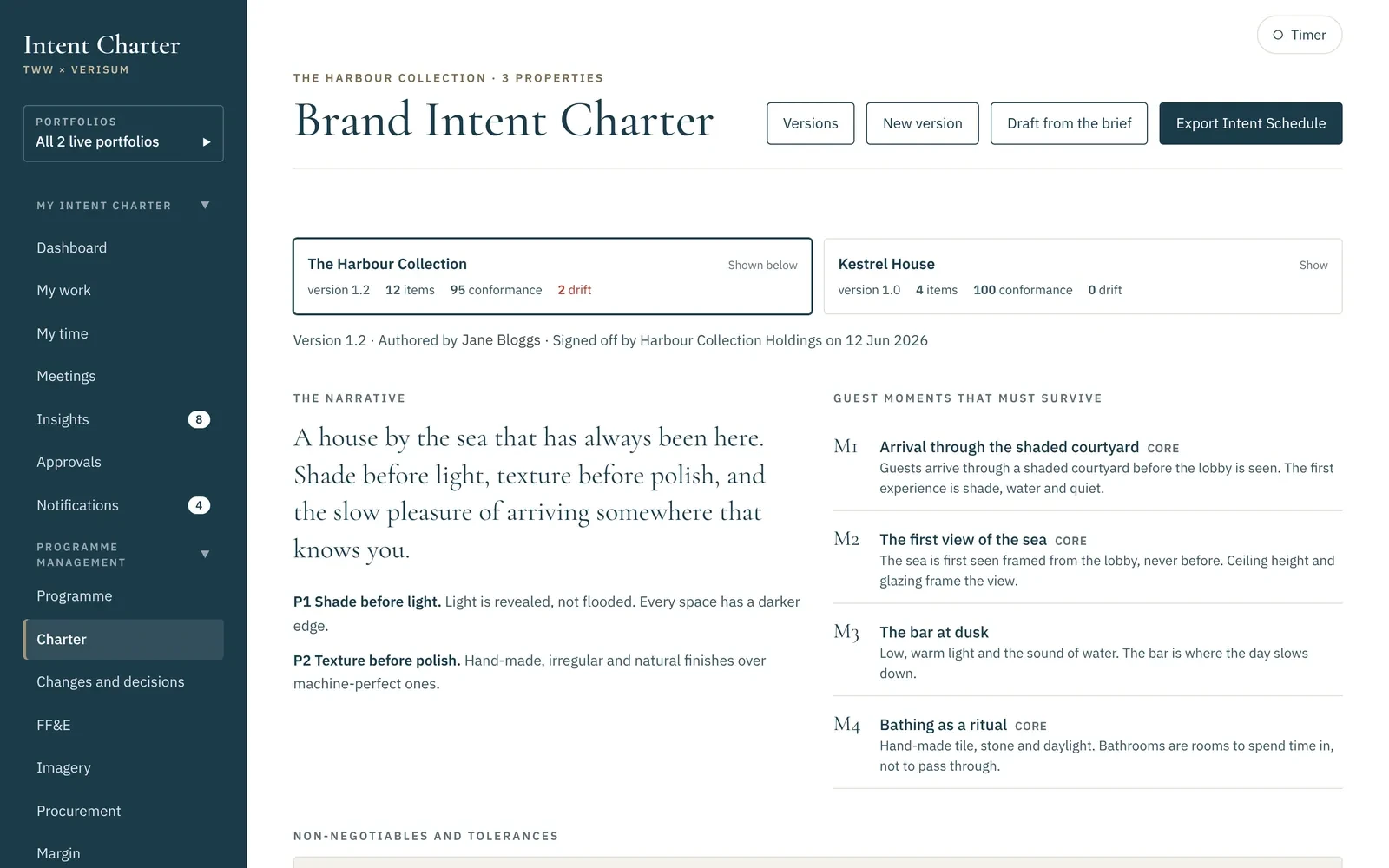
The lead designer writes down the design intent at the start and keeps it current until handover. Every design party works to the same Charter with its own access, so the architecture and the interiors are judged against the same idea.
Start at Stage 1
Turn the brief's outcomes and quality aspirations into a Charter the client signs off. IntentAI can draft it from your brief, using only your words.
- Moments, principles, non-negotiables and tolerances, each with a code a contractor can quote
- Performance requirements and consent conditions, with how and when each is verified or discharged
- The brief and targets: rooms and areas by type, cost per m2 or key, key dates
- Decision rights by impact, cost and programme effect
- Versions and sign-off, with each decision recorded against its version
Later appointments start from the same Charter
The architect, the interior designer and other consultants work from one Charter, each from their own firm. A new version adds to it without rewriting what the client signed off.
- Property variations where one site needs to differ
- Interior and lighting intent held next to the architecture
- Each party sees its own part, consultants and contractors included
Changes checked before they are agreed
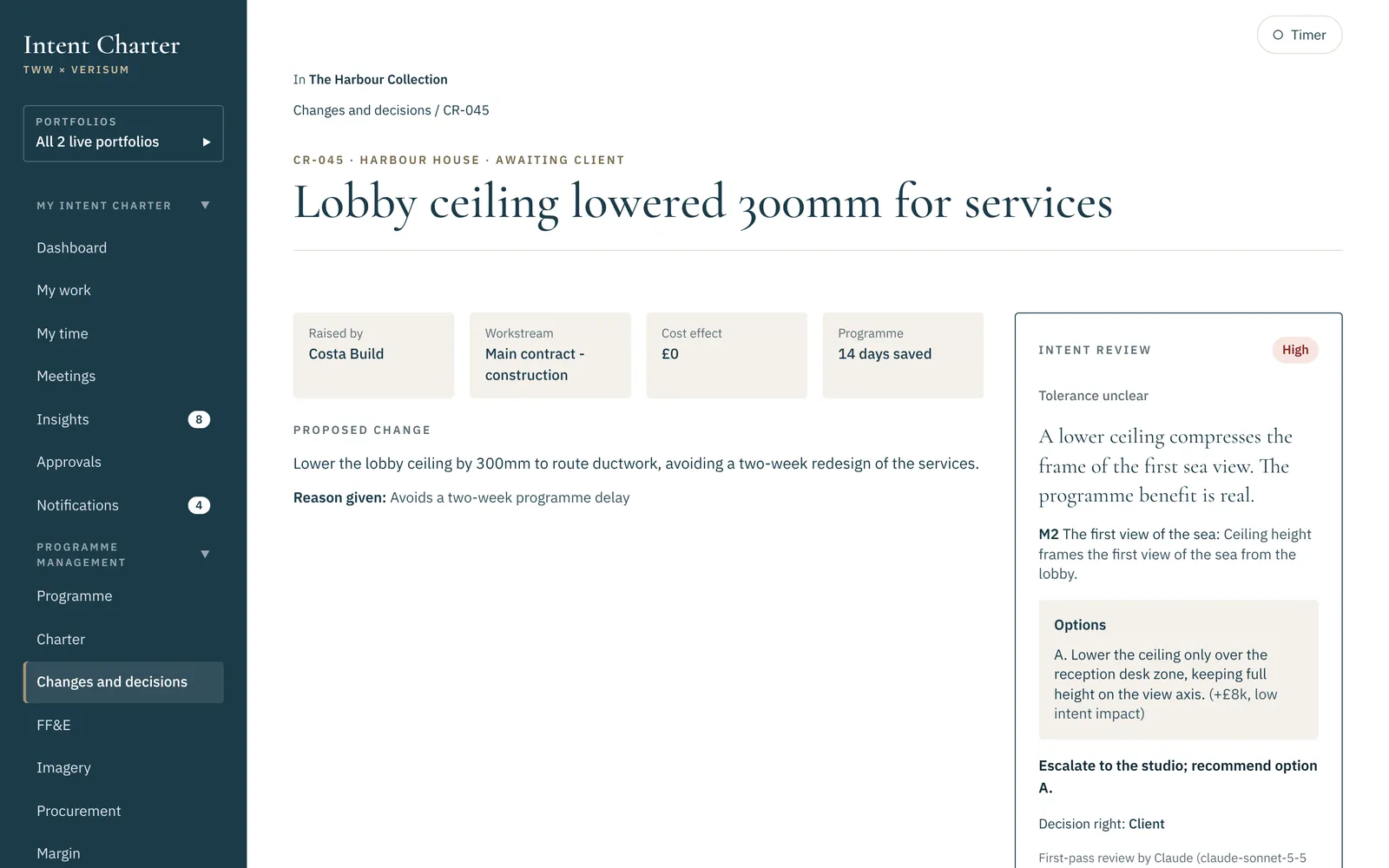
Contractors raise changes through their own links. You can raise them yourself after a site walk or a call.
- Every change reviewed: RFIs, substitutions, submittals and drawing revisions that touch the Charter
- Figures checked by arithmetic against tolerances, performance requirements, cost and dates
- Routed by decision rights to the programme lead, the design team or the client
- Design responsibility by element and stage, with requests outside your appointment flagged as a fee change, goodwill or someone else's
A first check on every submitted drawing
IntentAI reads a contractor's drawing against your own drawings, the Charter and the details in your library, and proposes comments.
- Findings on dimensions, setting out, materials and products, each with where it sits on both drawings
- You accept, edit or dismiss each finding; accepted ones fill the return comments
- A suggested code of A, B or C, which the reviewer chooses
- Fire, structural and regulatory points are noted for a competent person, never judged
Your details, with the evidence behind them
Keep the studio's construction details with the tests, certificates and site history that support them.
- Where each detail was built, and what came back on submittals and site
- Tests and certificates with expiry dates
- Shared with partner practices you invite, with project and client names removed
- Outcomes back from partners who use it, as counts only
Room schedules checked against the standards
Upload a room or area schedule, or let it arrive from Forma. Fixed arithmetic gives each result.
- Nationally described space standard and London Plan 2021 D6
- Your own rule sets, which can point to a Charter item
- Each fail decided by a person: to fix, accepted, or doesn't apply
Where have we done this before?
Search the studio's record across every project, including closed ones.
- Details, drawings, submittals and what went back
- Decisions, site findings, risks and lessons learned
- Only what your role can see; other matches are counted, not named
Drawings and site, on the record
The drawing register, transmittals, submittals and site work sit with the Charter.
- Drawing register and revisions, sent by transmittal with receipt confirmed
- Submittals returned A, B or C, held until any change they raise is decided
- Site audits from a phone, offline if needed, with a fix link for each party
- Site visit reports: snagging and space-by-space progress from one visit, as PDF or PowerPoint
- Site photos from every source, searchable by what they show and when
For studios that specify and buy
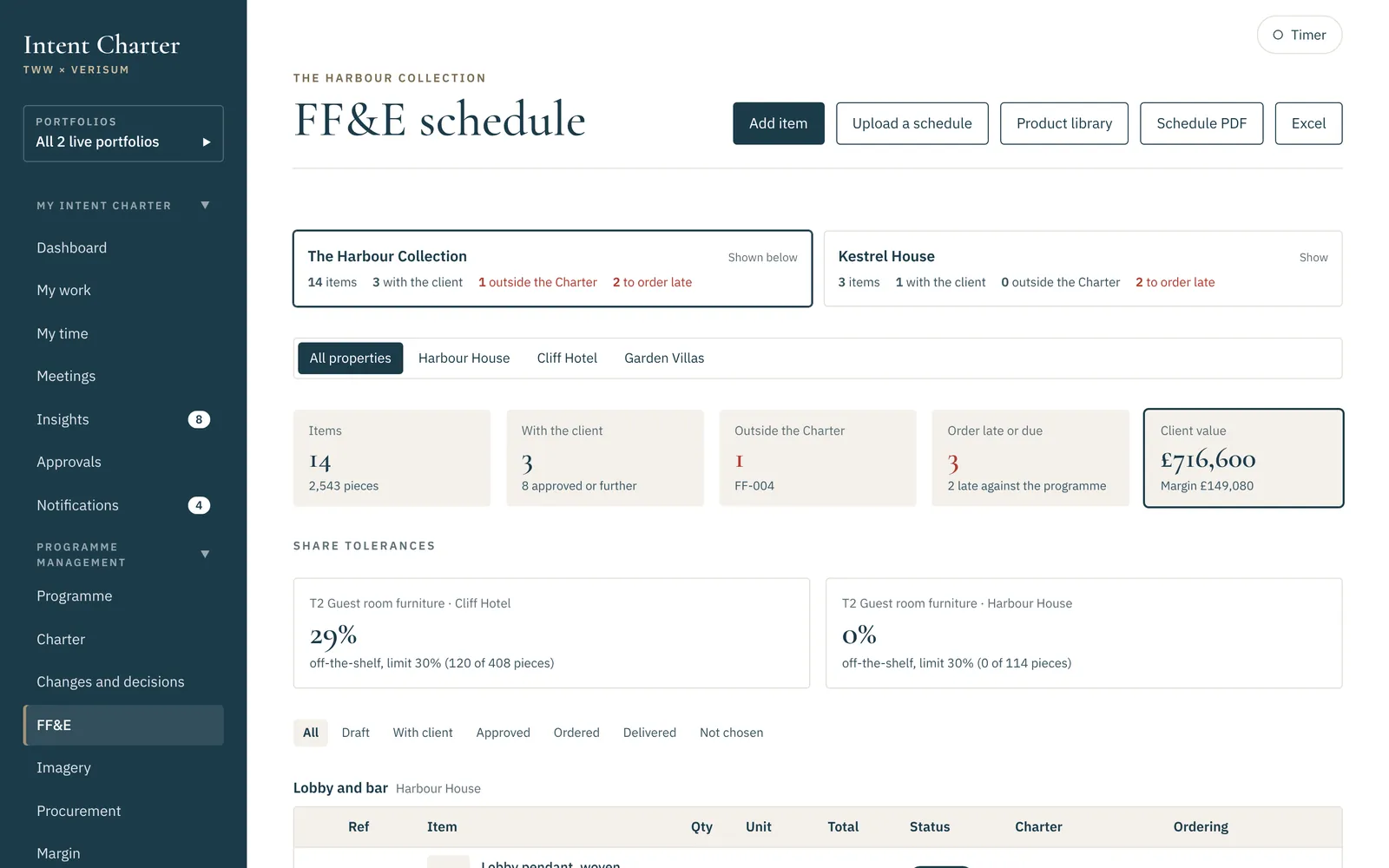
The FF&E schedule is checked against the Charter as you build it, and the client approves it in their portal.
- Schedule from your library, Programa or a spreadsheet, with your own spec fields
- Presentations built from live product cards, published as PDF with on-site QR codes
- Client approvals that go back to the client if the name, spec, supplier, price or image changes
- Quotes, orders, deliveries and installation, tracked by room
Fees, time and profit, kept private
Costs are entered once and never shown again. Clients and partners only see prices.
- Fee quotes from your rate card and stages, with floors that turn red
- Time from a timer or your timesheet exports, against fee stages
- Capacity with leave, bank holidays and the weighted pipeline
- Invoices checked by a second person and sent to your accounting system as drafts
- Studio profit and loss by month and programme, from records already in the app
- Pause and restart a programme or project, with capacity freed and dates moved on by a person
Reports drafted from the record
Weekly and monthly reports and assurance packs come from what happened on the project. IntentAI drafts the words, in your studio's tone of voice, and a person issues them.
- Weekly reports: milestones ahead, what's with the client, new risks
- Monthly reports with the conformance score and its trend
- Assurance packs for owners and lenders
- PDF and PowerPoint, or a read-only link that expires
Close out properly
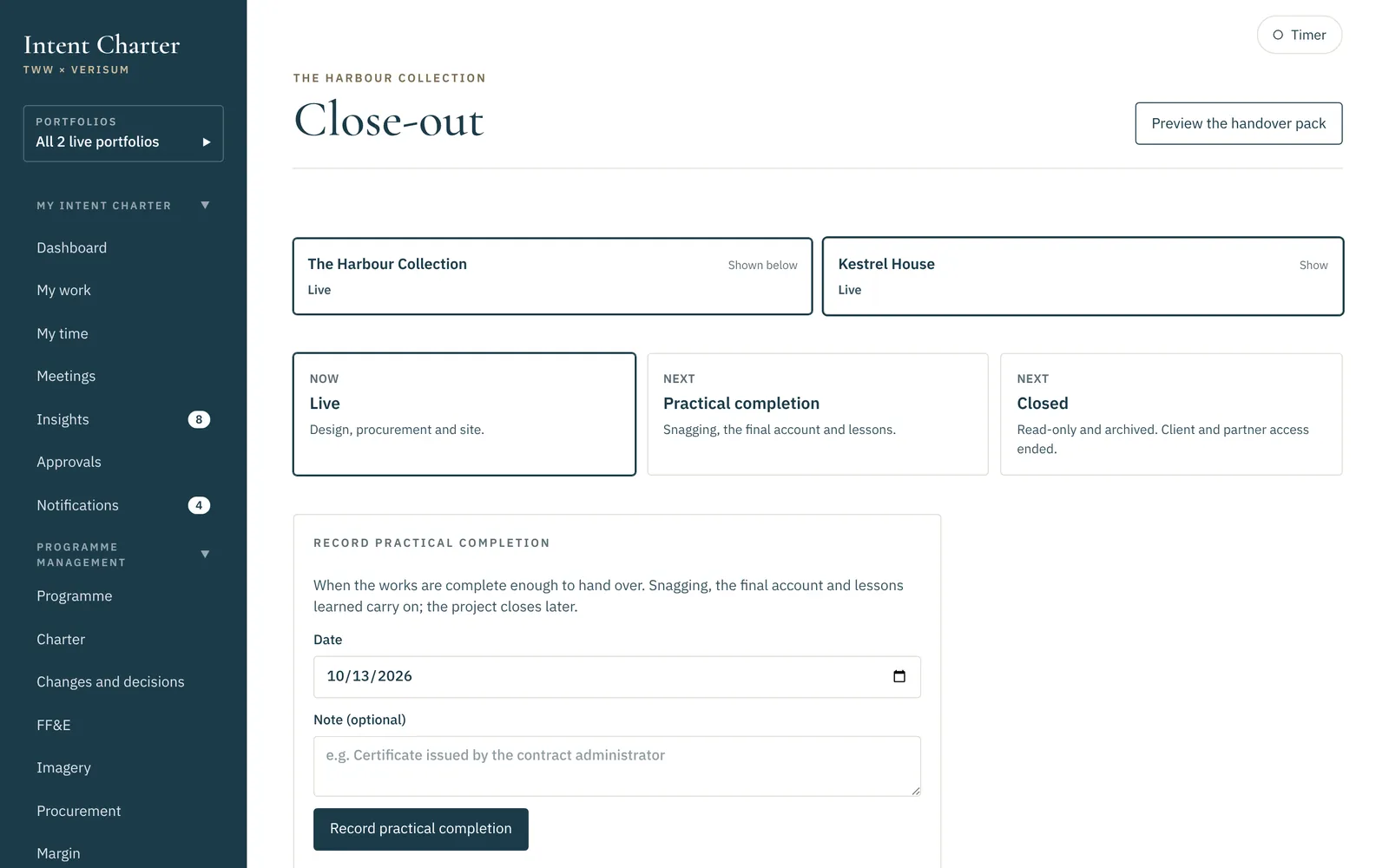
Practical completion, the final account and handover, with nothing left open.
- A checklist of what has to clear before closing
- The final account at the client's prices
- A handover pack with approved FF&E, current drawings, site reports and decisions
- A signed, encrypted archive kept for 15 years, or 30 for residential and higher-risk work
Bring your next project
We are opening Intent Charter to a small number of practices. Tell us about yours and we'll be in touch.